01 · Physical system
In your office.
A midas appliance installed at your premises. You own the hardware and keep your files on site.
Explore the boxAI for your organisation
Connect your tools. Hand over a task. Review the result. Run midas in your office or in the cloud.
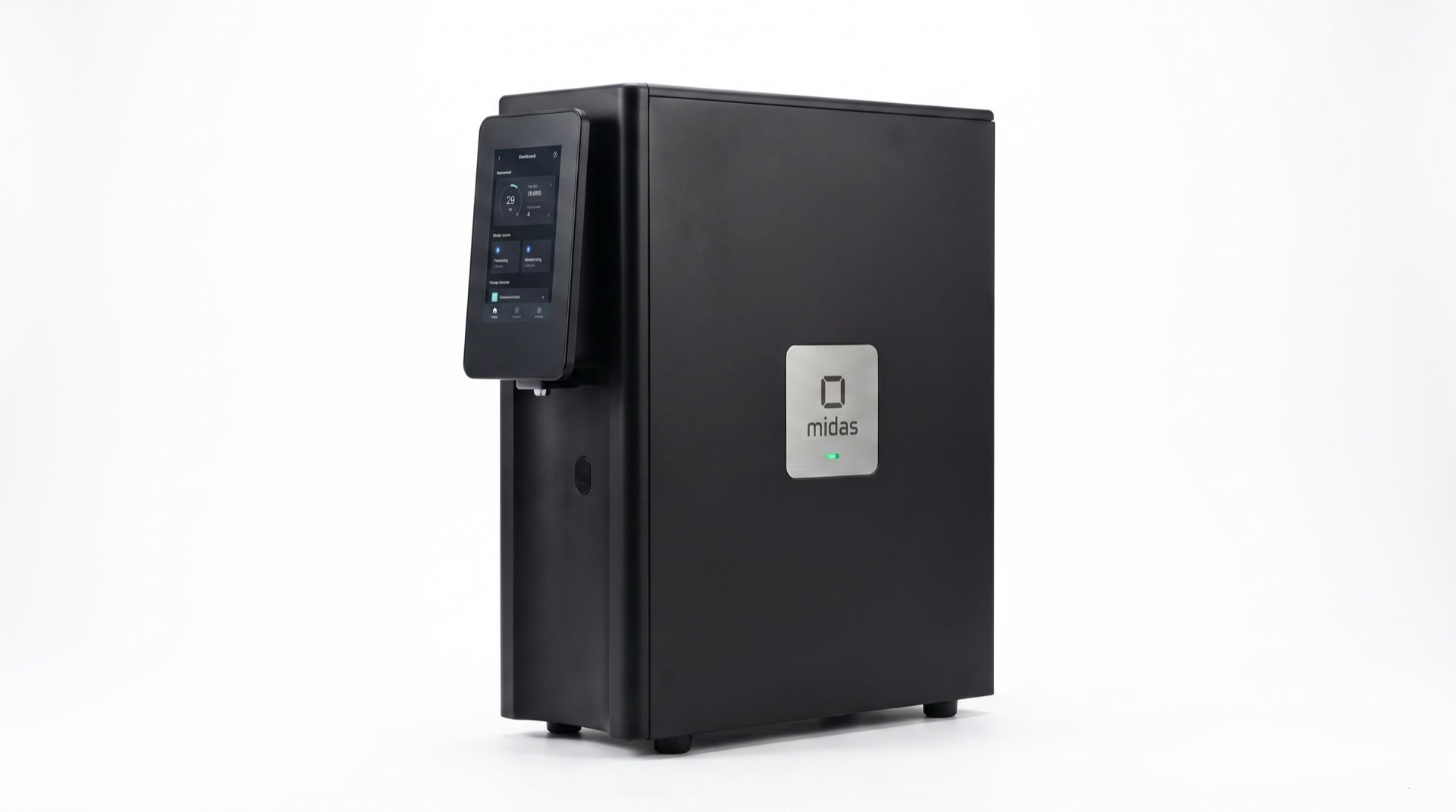
Two powerful processors take on the work, without sending your files away.
Your documents live here, with a second copy on the machine.
Your team’s corrections help midas get better at your work, on your own machine.
The cloud system
midas, hosted for you. How much work it can take on is agreed with your team.
Where your information is kept, who can reach it and how it is backed up are agreed with your team. Your data stays yours.
The same agents and the same tasks as the physical system. Decisions that need a person stop for your review.
No new equipment in your office. We set it up with you.
From files to finished work
From your documents to a meeting brief, client pack or draft letter. Ready for your review.
01 · Your files
Read on your own machine.
02 · midas prepares
What the client needs
Questions to ask
Sources included03 · You decide
midas waits. Nothing is sent until you say yes.
Coordinated work
midas agents share relevant information.
Your team reviews the
result.
 Gmail
Gmail A task, not another to-do.
Received
Client brief prepared

Billing details checked

Handover plan prepared
Review the plan. Give the go-ahead.
Waiting for your reviewSales → Finance · Here’s what the client needs.
Finance → Operations · The billing details are checked.
Operations → You · The handover is ready.
One prepared result. The decisions and approvals stay with your people.
Task examples
Pick a department. See the sources, the work and the answer.
You’re the CFO
 SharePoint Outlook
 Your Finance agent
Looking through the sources for your task.
Your agent comes back with this
Ready for youJune costs were HK$2.18M against a HK$2M budget.
What changed · HK$
Only the HK$80k supplier increase is recurring. The other HK$100k is one-off.
Keep the conversation going
You asked · What carries into July?
The supplier fee continues in July. The HK$60k overtime and HK$40k upgrade were one-off costs. Keep the recurring HK$80k in the forecast; this is not a full July forecast.
You asked · Draft the board update
Your agent prepares the explanation with the three source references. You decide whether to send it.
Outlook · Board of directors
June costs were HK$2.18M, HK$180k above budget (+9%). Supplier fees explain HK$80k, project overtime HK$60k and a software upgrade HK$40k. Only the supplier increase is recurring. We should reflect that HK$80k in next month’s forecast.
You’re the Sales director
Salesforce Gmail Your Sales agent
Looking through the sources for your task.
Your agent comes back with this
Ready for youNorthstar wants a 20-person pilot before a wider rollout.
Your meeting brief
The pilot slot is available, not booked. Confirm it with the client before reserving it.
Keep the conversation going
You asked · What should I ask first?
Suggested opening: “What would the 20-person pilot need to prove before you roll it out?” Then confirm who makes the decision and whether 14 September works.
You asked · Draft a pre-meeting email
The email covers their questions without promising an unconfirmed booking.
Gmail · Northstar client team
Looking forward to tomorrow. We’ll cover the pricing breakdown and onboarding plan for your 20-person pilot. A 14 September start is currently available; let’s confirm whether that works for your team before reserving it.
You’re the People manager
Notion  Google Calendar
 Your People agent
Looking through the sources for your task.
Your agent comes back with this
Ready for youAlex’s plan is drafted around the team’s available times.
First-week plan · draft
Laptop ready. Ask the manager to approve CRM access before Alex starts client work.
Keep the conversation going
You asked · What could block day one?
CRM access is waiting for the manager. Alex can attend the welcome and training, but client work should wait until access is approved. The laptop is already ready.
You asked · Prepare the welcome invites
Three calendar invitations are ready for you to review. This does not grant any system access.
Google Calendar · Alex and the team
Monday 09:30: welcome with Sam. Tuesday 10:00: product training. Wednesday 14:00: shadow a client call. These times match the team’s available slots. CRM access still needs separate approval.
You’re the Operations lead
 Asana
Asana  Slack
Slack Your Operations agent
Looking through the sources for your task.
Your agent comes back with this
Ready for youNine of twelve launch tasks are complete. These three remain open.
Before Friday · Thursday deadlines
Keep the launch conditional until testing, support cover and email approval are confirmed.
Keep the conversation going
You asked · What if testing slips?
The team update says to flag any delay to the Operations lead. Suggested next step: ask Leo for a revised finish time, then confirm whether Friday is still realistic. Do not send the launch email yet.
You asked · Draft the team update
The agent gathers the owners, deadlines and open decisions into one message.
Slack · #launch
9/12 tasks are complete. Thursday: Leo — release testing by 12:00; Maya — support cover by 15:00; Erin — customer email approval by 16:00. Flag any delay to the Operations lead. Launch remains conditional until all three are confirmed.
Explore the sources, then ask a follow-up.
Your organisation, with midas
Agents prepare the work across departments. Your people make the decisions.
Example · A new client handover
A client kickoff brief, ready for review
36 min 8 minExample timings · preparation onlyBefore · one after anotherSales 10 + Finance 10 + Operations 10 + brief 6 = 36 min
With midas · three checks at oncePreparation 6 + combined brief 2 = 8 min
Example client: Harbour Studio · One handover brief to review
Search the email thread for the brief
Open the client record and check contacts
Copy the details into a handover note
Finds the agreed scope in Gmail

Matches the brief to the client record
Prepares the client section with source links
Why it’s faster Less searching and copying between apps.
Find the signed quote
Compare it with the billing record
Write a billing summary for the team
Finds the agreed quote in SharePoint
Checks the quote against the billing record
Prepares the figures and flags anything missing
Why it’s faster The source documents are checked while Sales prepares its section.
Find the onboarding checklist
Check the team’s calendar
Draft owners, dates and next steps
Reads your existing onboarding template
Checks availability against the kickoff date
Drafts a delivery plan for Alex to approve
Why it’s faster The agent reuses your template instead of starting from a blank page.
Collect the three separate updates
Reformat and combine them into one brief
Check the source links and open questions
Collects the three prepared sections
Builds one brief in your handover template
Includes sources and highlights open questions
Why it’s faster One prepared brief to review, rather than three updates to assemble.
Before: three 10-minute steps, then a 6-minute summary. After: three 6-minute tasks in parallel, then a 2-minute summary. Assumes each task can start independently and source files are connected and available. A team that already works in parallel may save less time. Actual times vary; human review is not timed here.
Connectors
Email, documents, customer records and more. We can add connectors for any other systems your team uses.
Don’t see yours? We can add a custom connector for it.
Example in motionGmail → HubSpot → Notion
You set the goal
Your agent does the work
Whenever you need a hand
Connector setup depends on the app’s access and your permissions. You choose which actions need approval.
Time comparison
Compare the same task with and without an agent. Adjust the estimates to fit your team.
From starting the task to a meeting brief ready for review.
Pulls the context together and prepares your brief.
In this example, the work is ready for your review earlier.
Use your own expectations or measured results. Both estimates should cover the same task.
Estimates vary by task and setup. Your review time is not included.
Your control
midas handles the preparation. Decisions and actions that need a person stop for your review.
The physical, on-site system
One place for your documents and the AI that works with them. Built around the way your firm works.

Documents are stored on the machine, with a second copy and an encrypted backup in your office.
Corrections help midas adapt to your firm’s work, on your own hardware.
See what it read, what it prepared and who approved the next step.
We help you get started
In your office or in the cloud. We handle the setup with you.
Choose your apps. We add the connectors and agree access with you.
Specifications
Specifications below apply to the physical midas appliance. Cloud capacity is agreed separately with your team.
Memory, storage and user figures are the shipping configuration. Throughput ranges are observed on deployment-representative workloads and vary with document size and portal latency. AI performance is quoted as FP4 Tensor throughput with 2:4 structured sparsity, aggregate of two RTX 5090 GPUs (3,352 AI TOPS each, per NVIDIA's RTX Blackwell architecture whitepaper); ≈1.7 petaflops at FP8 dense.
Physical system or cloud. We’ll help you choose the right setup.
Talk to us